How to find old tweets of someone using advanced search?
Ejaz Ahmed
5 Feb 2026 | 5 min read
To find old tweets by someone feels nearly impossible, especially when an account was posted for many years. Scrolling in an endless way is not practical and Twitter/X’s basic look up often misses what is needed.
The good news is that Advanced Search helps users to bring up certain tweets through dates, keywords, engagement statistics and profiles, fast and with less time.
With this manual, you get how to look for anybody’s earlier tweets through Advanced Search, also some extra advice and quick workflow for those wanting more efficiency.
Why do you look up old tweets?
People want old tweets for different scenarios:
1. Research
Checking what someone or company said at a launch or event.
2. Clean up
Review old tweets before switching jobs or doing a rebrand.
3. Analysis
Observe competitors’ messaging in time.
4. Proof
Find a particular quote or official message.
5. Reuse
Recover strong tweets for repost.
Whatever your target is, advanced search is the most dependable way.
What’s Twitter/X Advanced search mean?
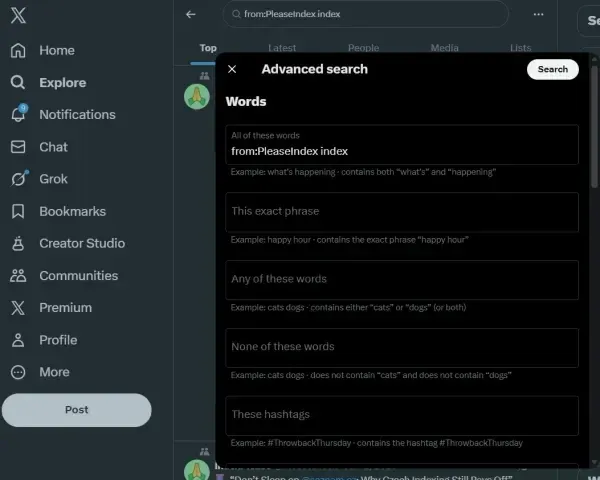
Advanced Search is a hidden option in X (Twitter), that makes filtering tweets with more specific rules instead of scrolling without purpose.
Tweets can be looked up in these ways:
- For certain accounts.
- Exact phrases or keywords.
- Date intervals.
- Minimum likes, replies or retweets.
- Language used.
- Posts with and without links.
- Replies or original tweets only.
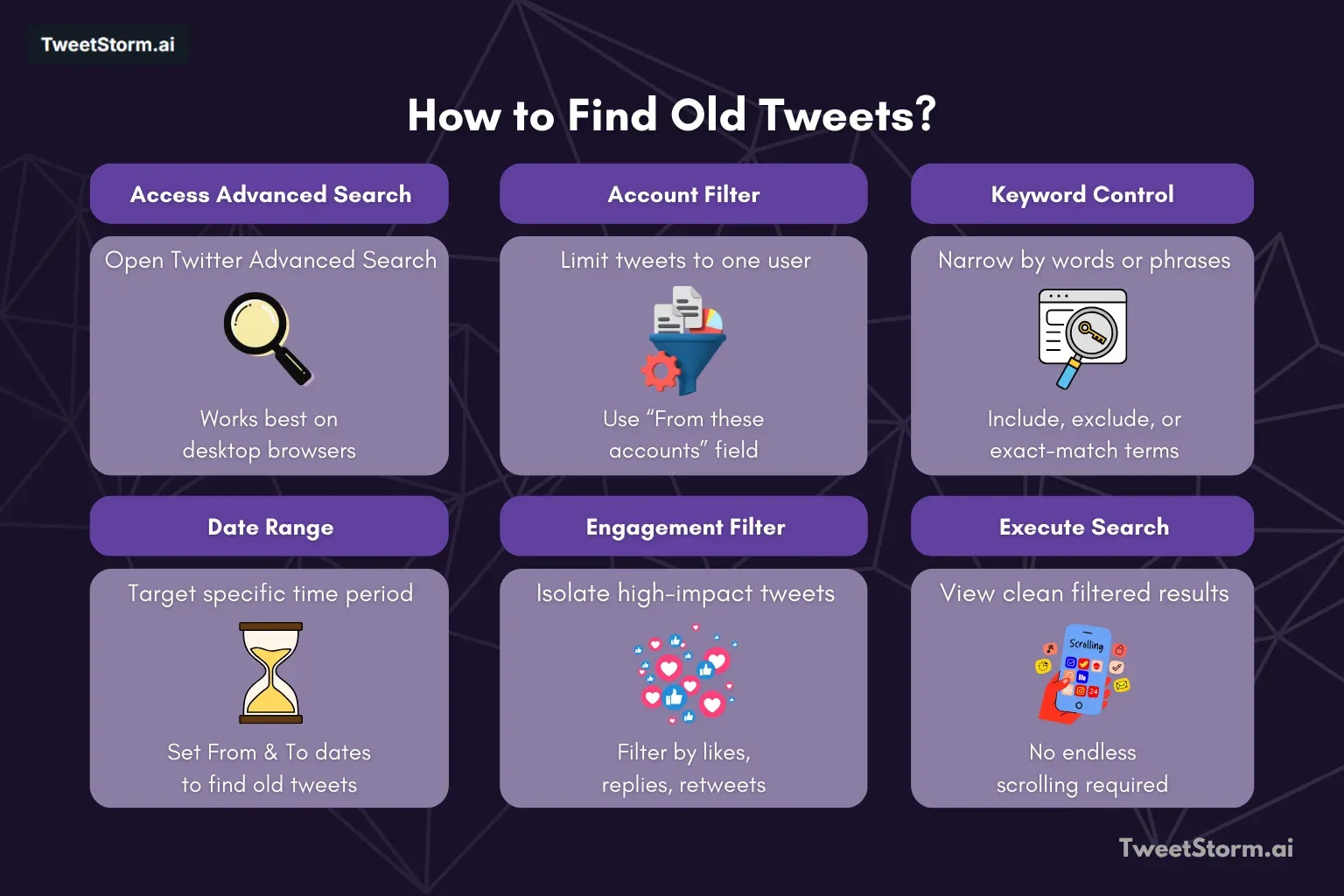
Method 1: Locating older tweets through X/Twitter’s built-in advanced search
Step 1: Access advanced search
Go to Twitter/X, pick Advanced Search from the “More” area or on the browser.
Tip: Advanced Search works mainly best in desktop computers.
Step 2: Type in account username
Inside Accounts panel:
Input username at field “From these accounts”
e.g. @username (without quotes)
That limits output to only tweets by that person.
Step 3: Enter keywords (Not required but effective)
Inside words options, you could:
- Use Exact phrase for targeting a whole sentence
- Use Any words for broader results
- Use Exclude words for skipping unrelated topics
Example:
- Exact phrase: product launch
- Any words: SEO indexing crawl
Step 4: Specify date range
This is a key step for old tweets.
Inside dates:
- Input From date (beginning)
- Input To date (end)
Example:
From: 2019-01-01
To: 2019-12-31
Now tweets only from that period in search.
Step 5: Set engagement filters (Optional)
If you need just high impact tweets:
- Minimum likes
- Minimum replies
- Minimum retweets
Example:
Likes ≥ 50
Low value tweets filtered away.
Step 6: Press search
Filtered tweets shown from account, no need for scrolling down.
Method 2: Applying search operators (Fast manual option)
Feature | X/Twitter built-in advanced search |
Saving searches | Not available |
Mass actions | Not available (Requires repeating actions by hand) |
Review | No mass reviews |
Interface | Standard Advanced Search interface |
Process | Search → scrolling → repeat it → do actions by hand |
Efficiency | Process slows you up for frequent study/management |
More advanced X/Twitter search
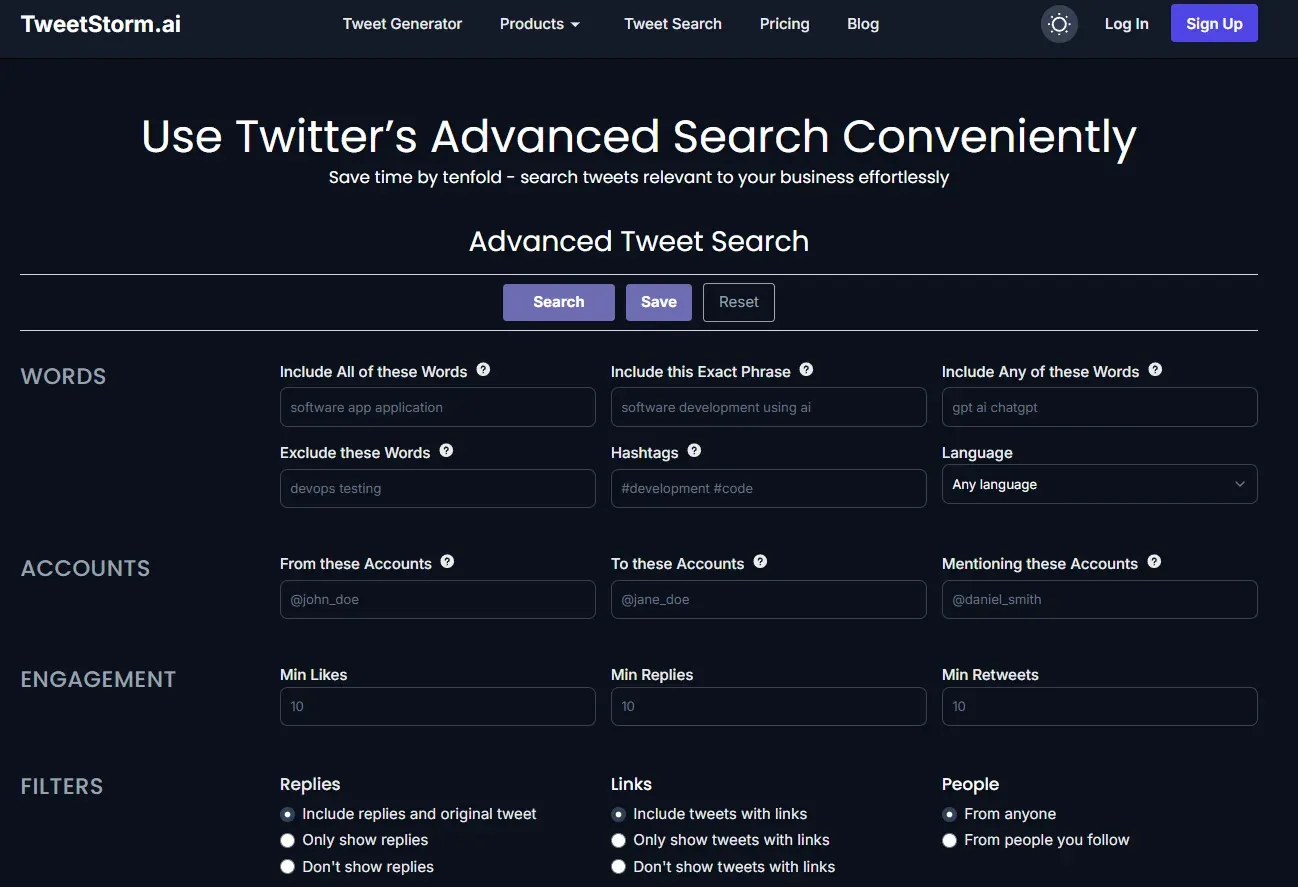
TweetStormAI is a comprehensive management tool for X/Twitter. Along with other X/Twitter tools, it is designed to streamline profile audits and clean-up processes, particularly valuable before a rebranding effort.
The tool enhances the search experience by providing a cleaner, more efficient advanced search interface. It allows users to save and revisit old search results.
Critically, TweetStormAI integrates the search functionality with bulk actions (delete, unlike, unfollow), enabling a quick solution: Search, filter, choose and then act on content.
Final considerations
Locating old posts in X (Twitter) is simple with an Advanced Search feature that uses username, date and keyword filters. However, professionals who often audit profiles and want complicated queries or actions in mass like large-scale cleanup will find this native site limited by its abilities.
Specialized instruments, for example TweetStormAI, provide automation and more management than only basic finding, letting individuals keep complicated searches and execute mass activities like cleaning old tweets without much value or storing complicated queries to compare later. No matter if you use built-in search or a third party platform, precise filtering is especially necessary to access old content.
FAQs
Is it possible to see somebody's old tweets without scrolling?
Yes. By Advanced Search, users filter tweets by username, date, keyword and engagement, so scrolling for years by hand is not needed.
How far back does Advanced Search in Twitter/X go?
Advanced Search lets you get tweets from the first day from the account's creation, only if tweets still exist and the account is public.
What reasons can I not find a tweet I am certain existed?
Common reasons are:
- The tweet is deleted.
- The tweet has changed wording.
- Date range selected being too short.
- A tweet is a reply not an original message.
- The account is protected.
- Loosening up filters mostly solves the issue.
Can deleted tweets be found using Advanced Search?
No. Twitter/X is unable to get tweets which are deleted, suspended or removed. Advanced Search works for just active tweets.
Can I find tweets for a particular year or month?
Yes. Enter From and To dates in Advanced Search (like Jan 1 – Dec 31 from a year) so tweets only from this period show up.
Am I able to filter tweets by how many likes or retweets?
Yes. Advanced Search allows minimum likes, replies or retweet value, this helps bring out only viral or high-engaged tweets in account.
Is Advanced Search from Twitter truly enough for heavy research or audits?
For searches not needed often, yes. For repeated research, auditing or cleaning, searching becomes slow since:
- Searches not able to be saved.
- Results not reviewed anymore later on.
- No direct actions after getting the tweet.
What benefit does TweetStorm give for finding old tweets?
TweetStorm makes Advanced Search much easier by:
- A clean and organized interface in search.
- Users can save and repeat searches.
- Search logs are saved to review afterwards.
- Making research repeat simpler without needing the same steps again.
- This especially helps marketers, agencies or people making lots of searches.
Is TweetStorm useful for removing old tweets after they are discovered?
Yes. When tweets are located through filters, TweetStorm gives option for actions like:
- Deleting many tweets in mass.
- Unliking tweets together.
- Unfollowing several accounts.
- Manage history on account efficiently.
- Discovery becomes direct execution.
Is TweetStorm secure to be used with Twitter/X?
TweetStorm is developed to do inside Twitter/X’s regular behaviors, avoiding automation becoming risky. Testing in different accounts and areas showed actions to keep stable, also safe.
Must users learn Twitter search operators to operate TweetStorm?
Not really. TweetStorm interface eliminates memory of complicated operators like from: or since:, giving guided filters and fields to speed up advanced searches.
Who best benefits from TweetStorm instead of only Advanced Search?
TweetStorm is best choice for:
- People manage social media.
- Agencies which work many accounts.
- Founders who check old posts.
- Creators with plans of rebrand.
- Researchers following historic tweets.
- If you search tweets a lot, you save time quickly.
Can a beginner use TweetStorm or just an advanced person?
Both. Beginner get from simple interface, advanced like saved search and history log and bulk actions Twitter/X lacking.