How to mass delete tweets after finding them with Advanced Search (A step-by-step explanation)
Ejaz Ahmed
5 Feb 2026 | 6 min read
Deleting tweets individually can be painful. If your Twitter account is older, manually removing content might take hours or even more than one day. For this reason, it is smarter to first search and then use deletion en masse.
With this guide, we sincerely tell you that you will know how you can mass delete tweets you found using Advanced Search by using a process which is repeatable and safe and makes for cleaner results.
It is especially helpful when planning for brand changes, switching jobs or when you want to do account audits or manage reputation on your profile.
Why is searching needed before you delete tweets?
Blind deletion of tweets as a mass can be risky in a huge way, possibly causing permanent loss for valuable content in profiles such as posts with more engagement, important notices and content that stays relevant for longer time. Also, you may break context for thread tweets.
The Advanced Search tool becomes critical protection, with its options like dates, phrases and engagement minimums, so you may check tweets and identify them properly before removing, to ensure only content you want will be deleted, keeping valuable assets left.
Explaining Advanced Search with Twitter/X
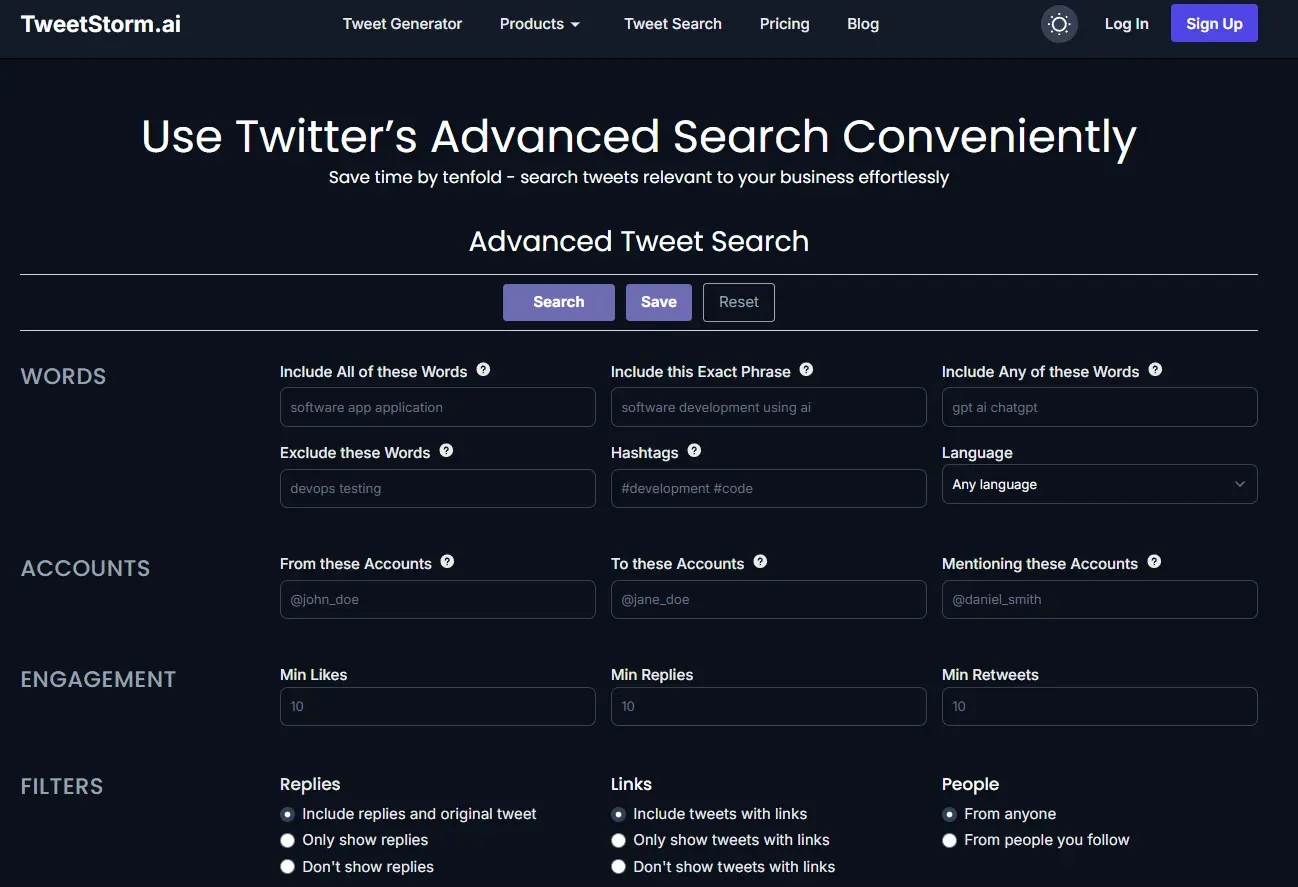
The Advanced Search function on X (Twitter) goes much further than simple timeline scrolling by providing a deep system for filtering your tweets.
This feature is absolutely supportive for anyone, if they manage old content, since it lets you pick out exact posts you wish to look over and possibly delete. Without such precision, working on big tweet archives becomes overwhelming and mostly impossible.
The main strength with Advanced Search is its wide list of filter options. By entering a username, you can check only your own tweets. You can pick tweets from one year, month or from a specific set of days by searching by the date range filter, making it of big value.
You can also seek tweets by keywords to spot ones about a topic or particular emotion. With combining these with likes, replies, retweets, engagement metrics, tweet type (like replies or main tweets) and content type, Advanced Search gives you tools you need for separating tweets before beginning mass deletion.
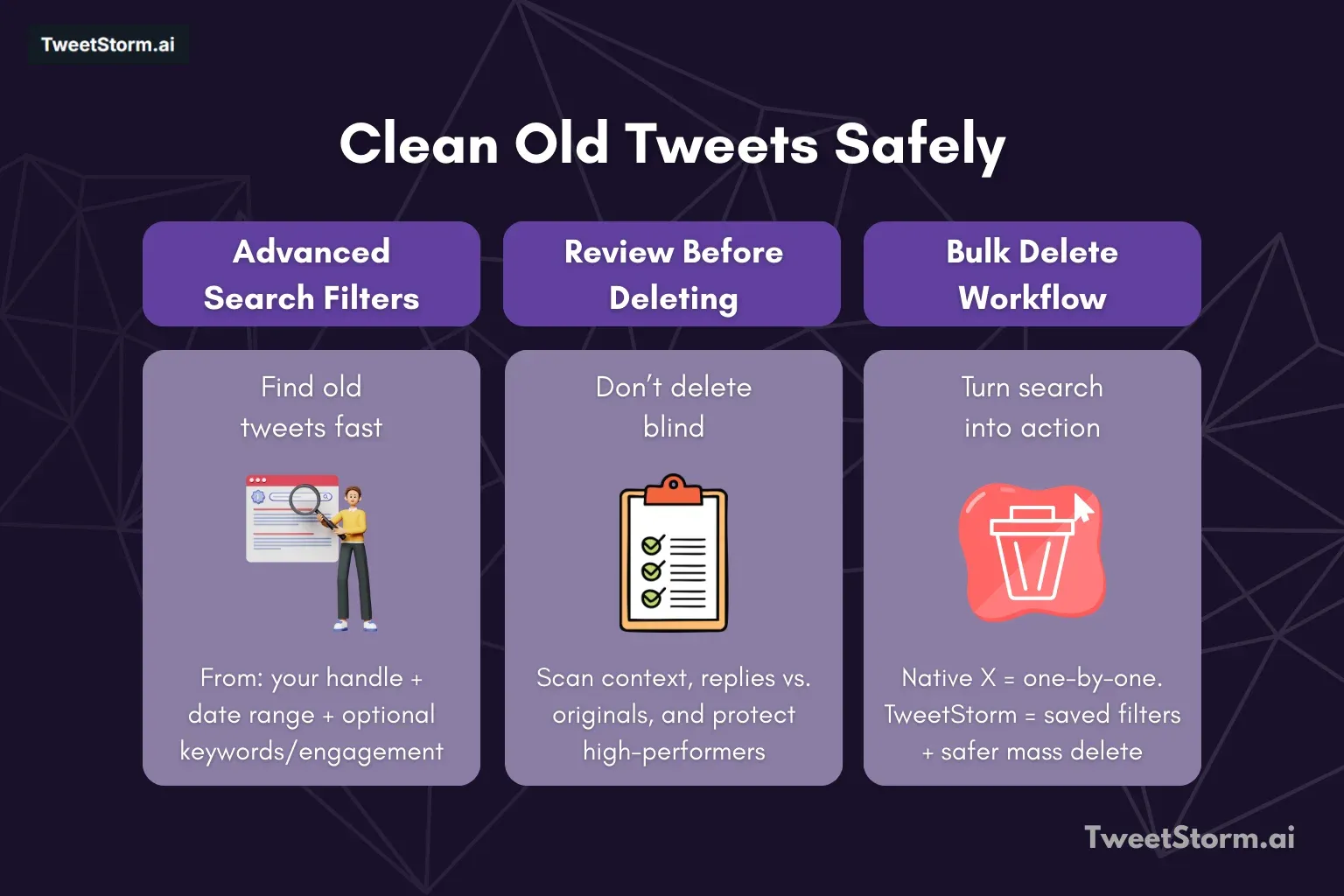
Step 1: Use Advanced Search to find old tweets
Filter type | Description | Usage |
Account filter | Narrow search results to tweets from a specific account. | Type username under "From these accounts" on the Advanced Search page. |
Date filter | Filters tweets by a specific time range. | Choose a "From date" (e.g., ) and a "To date" (e.g., ). Good for deleting tweets from one year or cleaning old content. |
Keywords filter (optional, but strong) | Finds tweets containing specific words or phrases. | Use phrases like "Older thoughts," "Brand messaging that is outdated," "Topics which may be sensitive," or "Promotional tweets of low quality" (e.g., "crypto giveaway discount"). |
Engagement filter (optional) | Filters based on the level of interaction (likes) a tweet received. | Set minimum likes to avoid deleting high-performance posts or specifically look for tweets with low engagement. Allows you to keep the best tweets in place. |
Step 2: Review all tweets properly
Before you delete tweets found via Advanced Search
Action | Purpose |
Scroll with the filtered tweets | Review the results |
Make sure the context is clear | Understand the tweet's original setting |
Check whether tweets are replies or standalones | Differentiate between conversation responses and original posts |
Confirm nothing important is mixed in | Ensure valuable information is not accidentally deleted |
Why native Twitter/X cannot delete tweets in bulk
Limitation | Description |
No button for mass delete | There is no single action to remove multiple tweets at once. |
Multi-select tweets is not allowed | Users cannot select several tweets to apply an action. |
Saving searches is not possible | Filter criteria cannot be saved for later use. |
Deleting by date is not allowed | The platform does not offer deletion based on a date range. |
Step 3: Use a smarter workflow for deleting mass tweets
Workflow type | Steps |
Manual workflow | Search your tweets |
Scroll for long time | |
Delete by one | |
Better workflow | Search with filters |
Save or use search again | |
Mass delete found tweets safer |
How TweetStorm provides support after Advanced Search
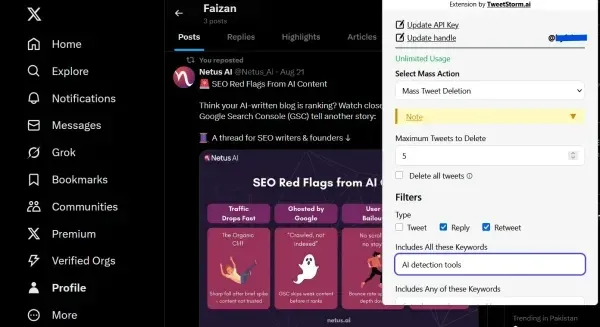
If you need to delete tweets by date range without endless scrolling, a lightweight, browser based tweet deletion tool is your best bet. TweetStormAI’s Chrome and Firefox extension focuses on speed and safety: it runs in your browser, respects Twitter’s interface and lets you filter and bulk delete tweets inside a custom date window.
You can preview counts before removal, target or exclude replies/retweets and run smaller batches to stay rate limit friendly. No CSV exports, just a clean, mass delete tweets workflow that keeps control on your side.
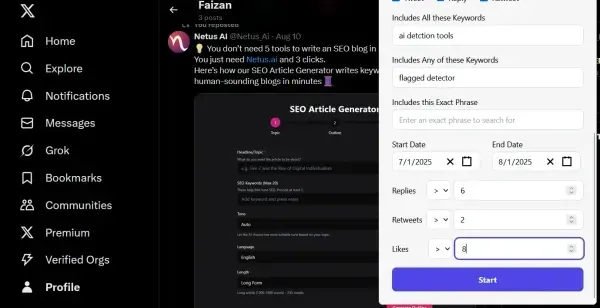
Narrow down tweet deletions based on time.
Start date only: Deletes tweets posted after the date you choose.
End date only: Deletes tweets posted before the selected date.
Start + End Dates: Deletes tweets within the specified range.
Ideal for removing tweets from a specific year, campaign cycle or job role.
Tips for mass deleting tweets safely
Before you delete tweets in big numbers, you should set up specific criteria such as which date range, certain keywords to look for or lowest amount of engagements like likes and retweets. Never go deleting with no rules.
Try with smaller and controlled trials to check if your filter is working fine and to stop tweets deleting by accident.
The most important, stay away from deleting tweets with a lot of interactions except if it is really required, since they give more visibility and can be used again for something different.
Do not do all deletions at once instantly. Carry out mass deletions slowly, in controlled sessions, not immediately. This type of technique is more like actual use, so reduces risk and keeps results more stable in practice.
Common reasons why people mass delete tweets
People wish to delete tweets en masse for many reasons, most often because they want to change or make their online profiles more professional. This often means rebranding accounts for job change or background evaluation or to erase opinions which now are out of date.
Also, some want to reset their account but keep their followers or clear out spam content or low value material bit by bit. Mass deletions are used proactively; not meant to hide history fully but to better select and organize the timeline all others see.
Final ideas
Taking a careful method to manage X (Twitter) history is important to keeping a professional and secure presence on the internet. Depending on the manual method to delete one tweet each time is inefficient, also it is more difficult to avoid mistakes. Mastering Advanced Search native features with filters on date, topic and engagements lets you choose exactly which content not matching your objective anymore.
The last step should be using a dedicated tool like TweetStorm. This ensures you can convert that Advanced Search result for safe, systematic bulk deletion and keep it controlled. Remember, aim is not just removal of history, but ensure you build up a stronger and much more focused profile publicly for who you are now.
FAQs
Can I delete many tweets at once from Twitter/X itself?
No. Twitter/X do not have bulk delete ability directly. Every tweet must be deleted by itself unless an outside tool is used.
Is deleting tweets in bulk actually safe?
Yes, when done carefully. Use some date filtering, smaller groups and reasonable limits for keeping the process safe and contained.
Can I clear my tweets from a certain year only?
Yes. Advanced Search helps you locate the desired year, then remove tweets with dates in that range.
Is it possible to delete only replies and not main tweets?
Yes. By advanced filters you can select just replies so your conversations can be cleaned while you keep original posts.
Is there a chance deleted tweets will return?
No. After deletion tweets are gone for all time and recovery is not possible.
Does TweetStorm delete tweets automatically without involvement?
TweetStorm lets users do bulk deletion according to the filter settings. You keep control for what gets removed.
Are there limits for the amount of tweets deleted?
Limits change depending on workflow and account’s plan, but mass delete is much quicker compared to deleting tweets one by one and made for high volume.
Is it better to delete all tweets or just certain ones?
Mostly only some. Do strategic cleaning instead sweeping away years of tweets blindly.
Can I look at tweets before deleting them by TweetStorm?
Yes. You can pick filters and check that criteria matches before you proceed.
Who gets most value from mass tweet deletion?
- Professionals with new careers.
- Brand with new direction.
- Agency work on client accounts.
- Creators sorting old posts.