Smart approaches for removing Twitter content at a large scale
Ejaz Ahmed
5 Feb 2026 | 6 min read
Twitter/X posts are always open, permanent and connected within your digital mark online.
Many old tweets can damage a person or a company's reputation by sharing awkward opinions or when the messaging does not suit the current branding. The main issue is how to deal with already posted content, finding your old tweets can be challenging without the right tools.
This instruction gives one systematic and more easily adjustable approach to discovering, evaluating and removing earlier tweets so you do not need to randomly delete all.
Why X/Twitter cleanup and review are now more important
On X (what, before, was Twitter), tweets are always staying and can be found by anybody, for example reporters, human resources or even competition, which can make older posts a risk.
If mistakes are not fixed or a lot of spam or poor content adds up, this can cause permanent harm to the account's reputation. When accounts get bigger, manual checking becomes impossible, that's where Twitter search tools become essential.
So to control a social media platform there must be an organized plan for managing and keeping a record of content, instead of just hoping for users to do actions on their own.
Framework for X/Twitter management
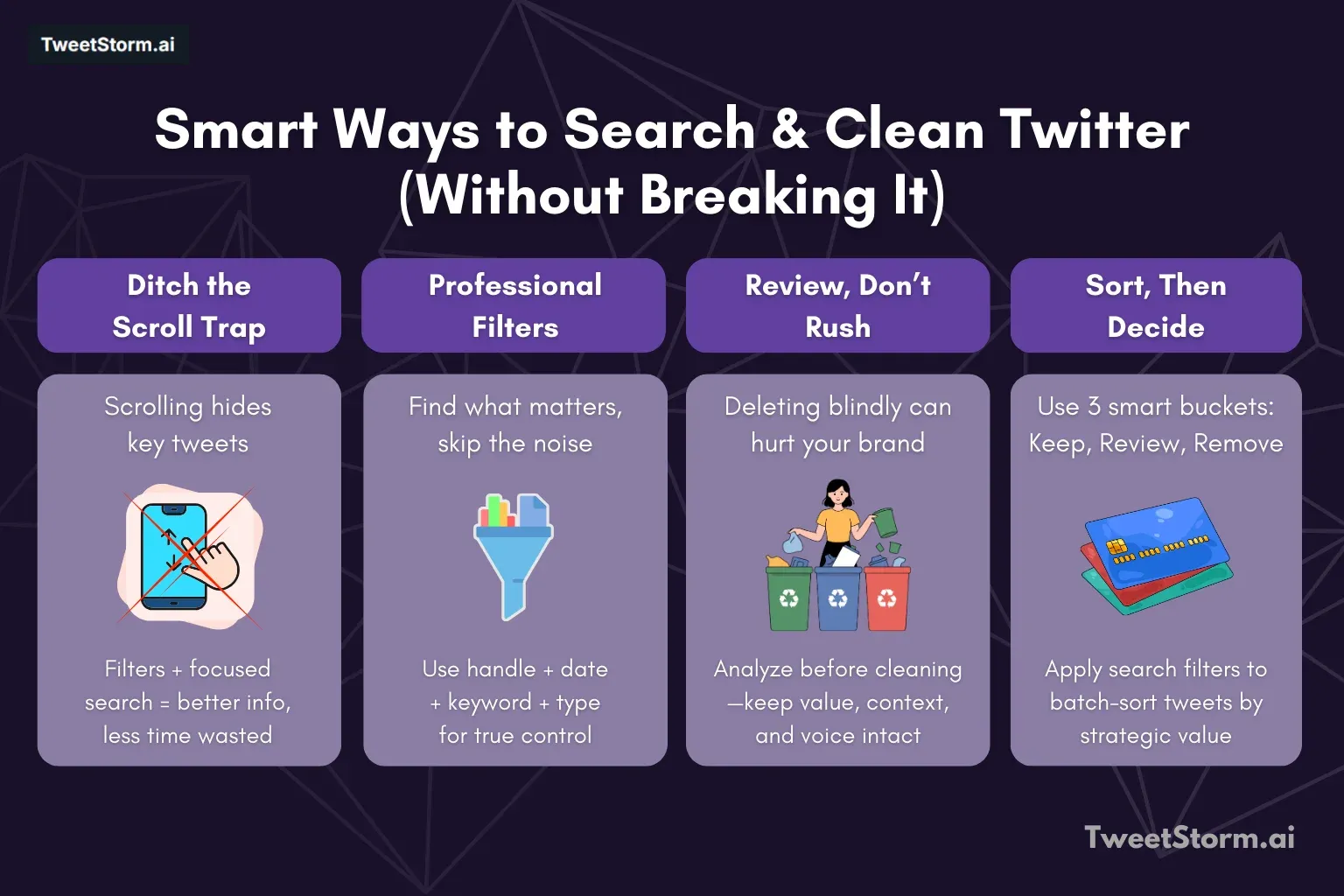
Good X/Twitter management by teams can be done in joint steps.
The first part is searching, needing a focused step for picking out the right tweets from big info streams. Next, after searching, is analyzing, in which staff members check the found tweets to find which ones have significance or require fixing.
The last step is cleaning, when actions are taken based on earlier analysis slowly and with intention.
Going properly through all three, search, analyze and clean, is important, as missing even one part builds up risk for how the account performs.
Smart ways to search Twitter/X (Focus, not just scrolling)
People who browse X/Twitter slowly usually skip older or important talks or even those with details. Another issue with Twitter is that most new tweets get attention which does not really give one a complete picture, plus time is wasted.
By using advanced searching tools or filters, you will find more targeted and full details quickly. Sometimes it's kind of hard to get the full info on the platform.
What should actually be searched?
If you work at scale, the goal is not just single "tweets" but tracking patterns underneath them. Advanced search lets you choose key kinds of search, such as looking up tweets from a certain year, finding campaign content or tracking older wording in branding or to separate replies from original tweets.
Also, skilled search helps locate stuff with poor engagement, find mentions of brands that do not have @ tags and look at the use of hashtags for campaigns in set time frames.
Major ways in X/Twitter search that actually count
Professional X/Twitter searching uses focused tactics such as account searching by handle, with sometimes picking a date for historic tidying.
Good strategies include direct keyword filtering to get more relevant results, engagement filters to check statistical performance, and dividing tweet types into originals and replies so only top-performing data is examined.
Review before deleting anything
One of the big errors is to remove posts before you explore them carefully. If you get rid of tweets too early, this could have a bad effect, like never having some top posts anymore, making tweets not in order, breaking context and making the account history less genuine.
So checking is important for smart choices instead of acting quickly.
What analysis is for large accounts?
When you are planning on removing social posts, it is important that you use more thought than only asking, "Should I delete this?" You should look to see if your tweet matches with a brand or still represents your meaning, also check if what you posted is old news or maybe not useful.
Poorly performing tweets should also be examined. Think if a tweet relates to a completed campaign and if discussion replies continue to be important.
Make your timeline more valuable by mostly keeping quality posts that attract and retain your followers, not just deleting a lot. Sometimes, like, it helps to consider how your audience reacts and feels about posts too.
Segment tweets inside buckets
Social media teams place tweets into several managing sections, such as a keep tweets that are always active and fit the brand, review tweets that need to be checked if they are fine for situations and remove tweets like outdated ones or spam.
Clean Twitter/X without causing problems
Cleaning up does not mean all is deleted. It says you reduce tweets by purpose.
Why are X/Twitter native tools lacking?
Twitter/X lacks robust tools for large-scale content management. Key features missing include:
- Bulk deletion functionality.
- The ability to delete content based on a date range.
- Deletion by specific keywords.
- A multi-select option.
- Saved cleaning workflows.
Consequently, mass content cleanup on the platform is highly restricted.
This makes people need a longer time to control or delete more tweets in a large volume.
How to clean up with an expandable system?
The best way to support account stability is following step-by-step.
You first do a directed search, using accurate filters. After, you check the data from the search in some reasonable batch. In the end, cleaning must go bit by bit, not fast or all at once.
This slow method is vital in making fewer errors, also keeping the account operating stable.
Turning search + analysis into action (At scale)
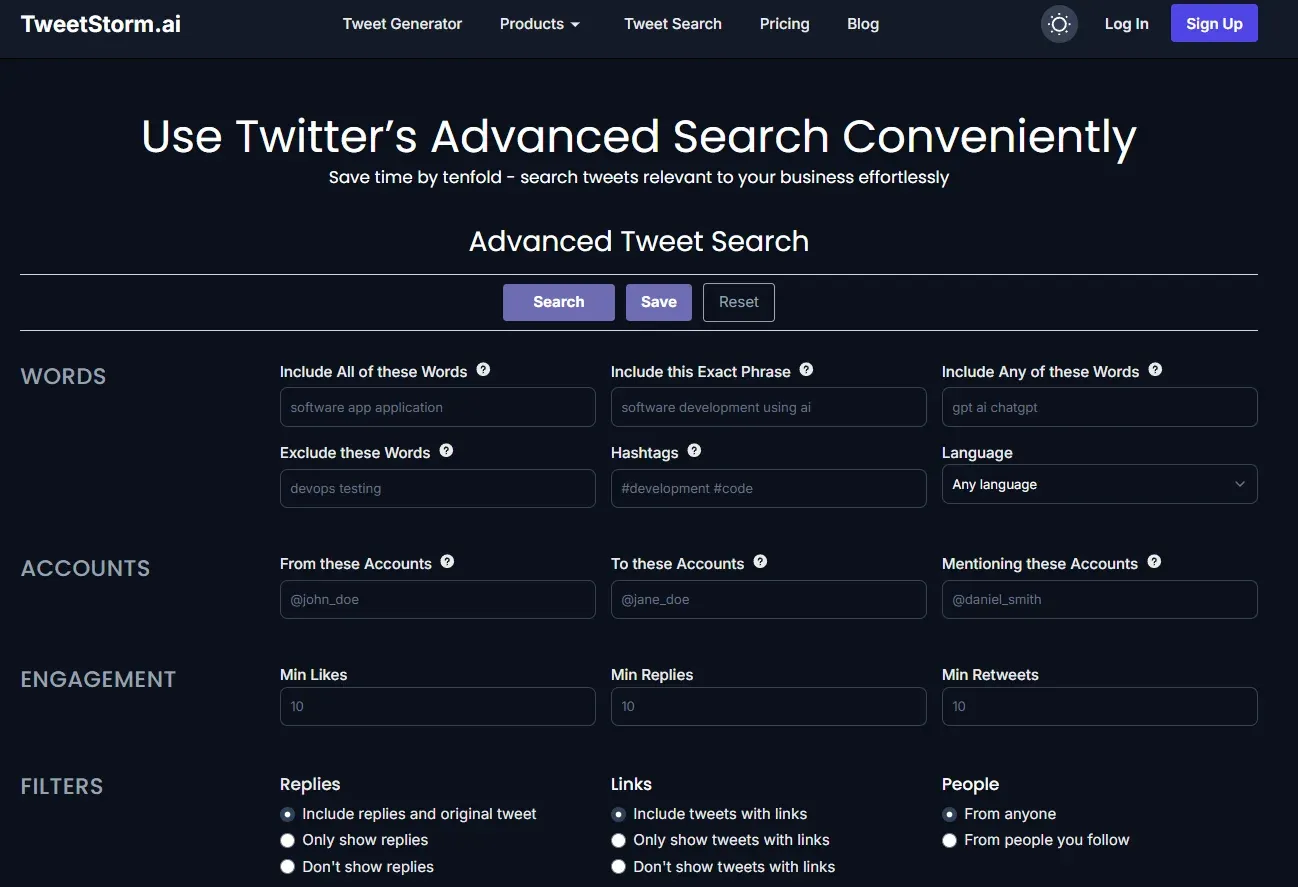
TweetStormAI advanced functions are addressing the scale of search, analyze and clean structure.
The Advanced Twitter Search is going over what native X/Twitter can do, so you get more specific filters by date, word and how people interact, save searches for future, letting you find tweets that you want (for example old campaigns, old branding, less performing posts).
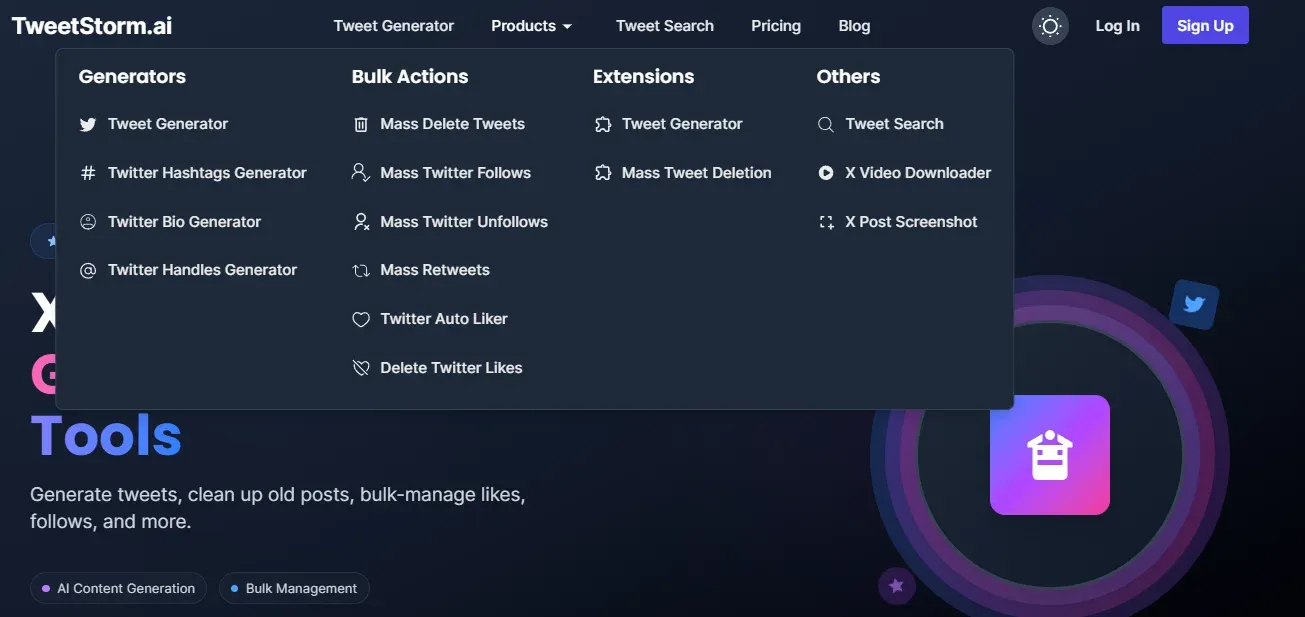
For a clean process, bulk action tools such as Mass Delete Tweets and to Delete Twitter Likes helps to do removal for a lot of tweets at once after you look at them.
This organized way means cleaning process is on purpose because only chosen content gets deleted, avoiding deleting something by accident.
TweetStormAI’s Chrome and Firefox extension focuses on speed and safety: it runs in your browser, respects Twitter’s interface and lets you filter and bulk delete tweets inside a custom date window.
You can preview counts before removal, target or exclude replies/retweets and run smaller batches to stay rate limit friendly. No CSV exports, just a clean, mass delete tweets workflow that keeps control on your side.
Final thoughts
When you have many posts in Twitter/X to manage, you should apply a serious and structured method, instead of just deleting things by hand. Search, analyze and clean process makes it possible for you to control content carefully, not just making random and reactive deletions.
Utilities such as TweetStormAI are necessary in advanced searches, to find old, wrong brand or weak performance posts and to do bulk removal well and fast. When your timeline is optimised, brand is consistent, risks are reduced and people can still find important content.
This type of process is important in keeping up with good digital hygiene, it is not just some chore you do once only.
FAQs
What does “Twitter cleaning at a larger scale” mean?
It occurs when you manage hundreds or even thousands of posts using filtered workflows, not by deleting one each time.
Is cleaning big Twitter pages a safe process?
Yes, when performed slowly and with specific filtering and engagement levels. Random or strong deletes can cause issues.
Are you supposed to delete replies more often compared with original tweets?
Mostly yes. Replies get old quicker, lose meaning and are noise in your timeline.
Can Twitter searching be supportive with cleaning choices?
Absolutely supportive. Searching allows you to review tweets by using date, engagement or keyword filters before deciding.
Why not just delete all posts at once?
Because you probably delete useful items, social confirmations and timeless tweets that can benefit your account.
In which ways is TweetStorm helping in big cleanups on Twitter?
TweetStorm delivers necessary functions for big Twitter cleanups, which are above built-in platform abilities, including Advanced Search for finding exactly, Bulk Actions for planned tweet removals like mass delete and deleting likes.
Is Twitter cleaning something that happens one time?
No, it is better to do a periodic review, especially after running a campaign, changing positions or adapting a brand.
Is this method used by marketers for brand checkups as well?
Yes, the same steps about searching and evaluating are usable for tracking mentions, marketing and emotion checking.
How much auditing per period should happen on accounts?
At least yearly for individual people, every quarter for companies or agencies.
What is the major advantage with a cleaner Twitter page?
Clearer. Good posts get more noticed, messages appear much more same and danger gets dropped a lot.