X (Twitter) Tweet Scheduler

Schedule Tweets & Threads, Grow on Autopilot

  • Schedule single tweets and full threads
  • Auto-post at the best times in your time zone
  • Manage drafts, queue, published and failed in one place
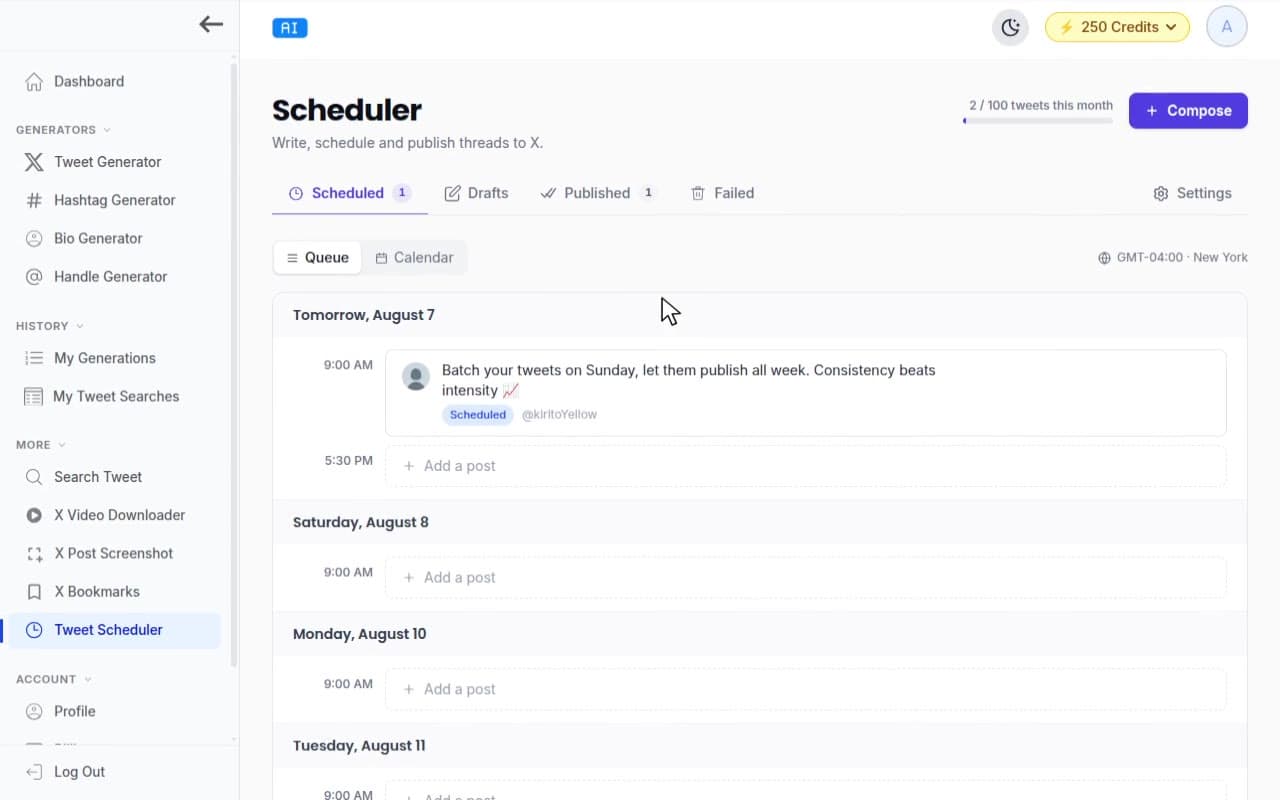
TweetStorm tweet scheduler showing the posting queue, calendar and scheduled tweets for X/Twitter.

Introduction

Posting consistently on X is what drives growth — but nobody can sit in the app all day hitting publish at the perfect moment. TweetStorm's Tweet Scheduler fixes that. Write your tweets and threads now, drop them into smart posting slots, and let TweetStorm publish them to X automatically at the best times — in your own time zone, even while you sleep.

Connect your X account in one click (no browser extension, no API keys), batch a whole week of content in one sitting, and track everything across your Queue, Drafts, Published and Failed views. Whether you're a creator, a founder or an agency managing multiple accounts — TweetStorm keeps you posting on schedule.

Get Started now

Features

The TweetStorm scheduler turns scattered posting into a calm, repeatable system, built for creators who want to show up every day without living in the app.

Smart posting slots

Define posting slots per account or use our recommended times. TweetStorm drops queued tweets into the next open slot automatically.

Thread scheduling

Compose full threads, reorder tweets and attach media to each one, then publish the whole thread in sequence at your chosen time.

Time-zone aware

Each X account has its own time zone, slots and posting goal. A tweet set for 9:00 AM always goes out at 9:00 AM in that zone.

Multi-account scheduling

Connect multiple X accounts and schedule independently for each, with a quick account picker to switch between them.

Drafts & queue

Save ideas as drafts, edit them anytime and move them into your queue whenever you are ready to schedule.

Weekly posting goal

Set a weekly posting goal and let the scheduler keep you consistent so you never go quiet on the timeline.

Benefits

Plan once, post all week. Spend your energy on ideas, not on remembering to hit publish at the right moment.

Post on autopilot

Batch a week of content in one sitting and let TweetStorm publish it for you, even while you sleep or travel.

Hit peak engagement

Posting at the best times to tweet means more eyes, more replies and steadier follower growth, without guesswork.

Stay consistent

A full queue and a posting goal keep your account active every day, the single biggest driver of growth on X.

Write better with AI

Pair the scheduler with TweetStorm's AI tweet generator to draft, remix and schedule high-performing posts in minutes.

How to Guide

STEP 1

Create Your Account

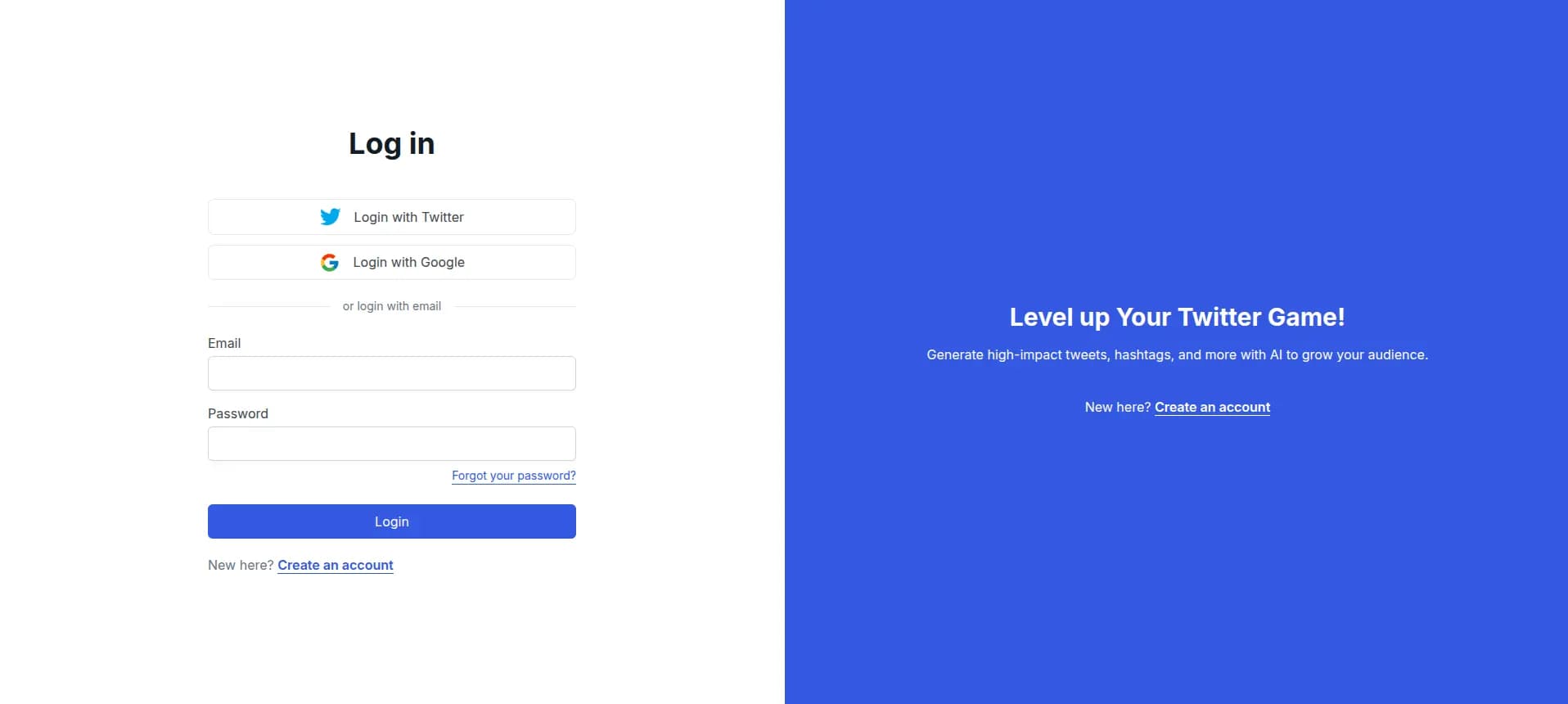
Visit Tweetstorm.ai and create a free account or log in. It takes under a minute to get started.

TweetStorm.ai login screen with options to sign in via Twitter, Google or email and password.
STEP 2

Connect Your X Account

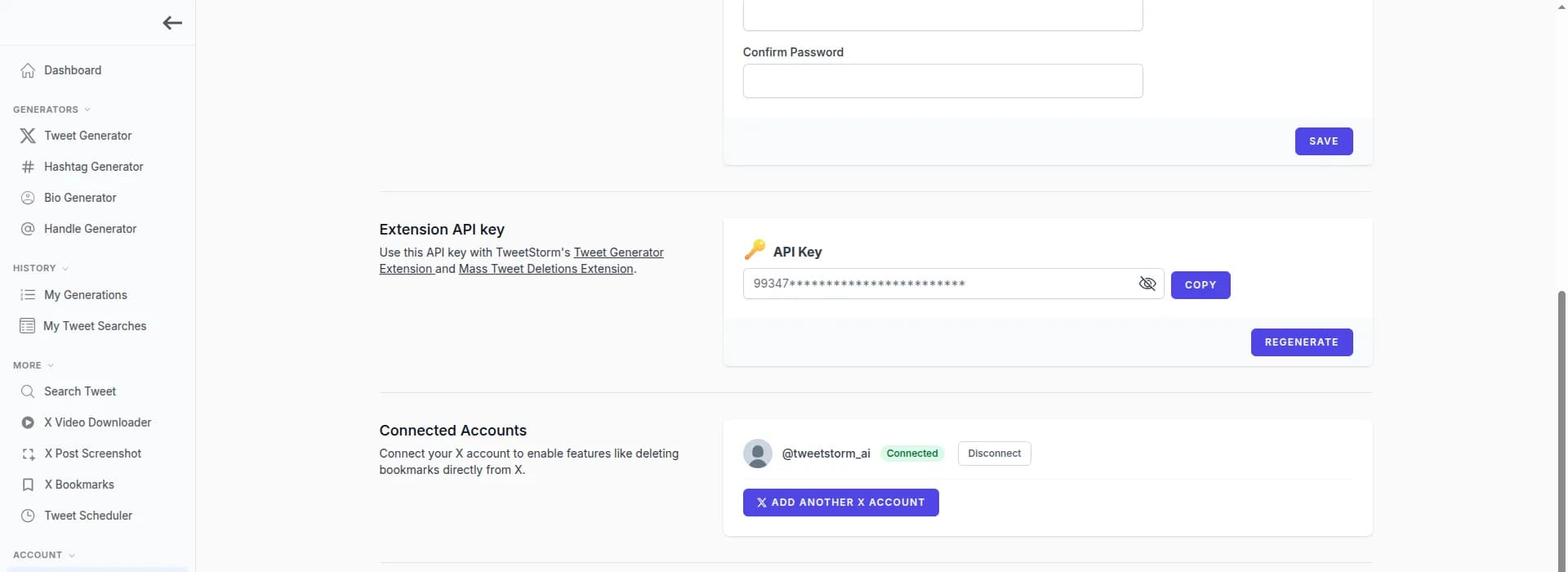
Head to your Profile and click “Connect account”. You authorize TweetStorm to post on your behalf through X's official login — no browser extension and no API keys required.

Connect as many accounts as your plan allows and switch between them with the account picker in the Scheduler. Each account keeps its own queue, slots and settings.

Connecting an X (Twitter) account to the TweetStorm scheduler via official OAuth login.
STEP 3

Set Your Posting Slots, Time Zone & Goal

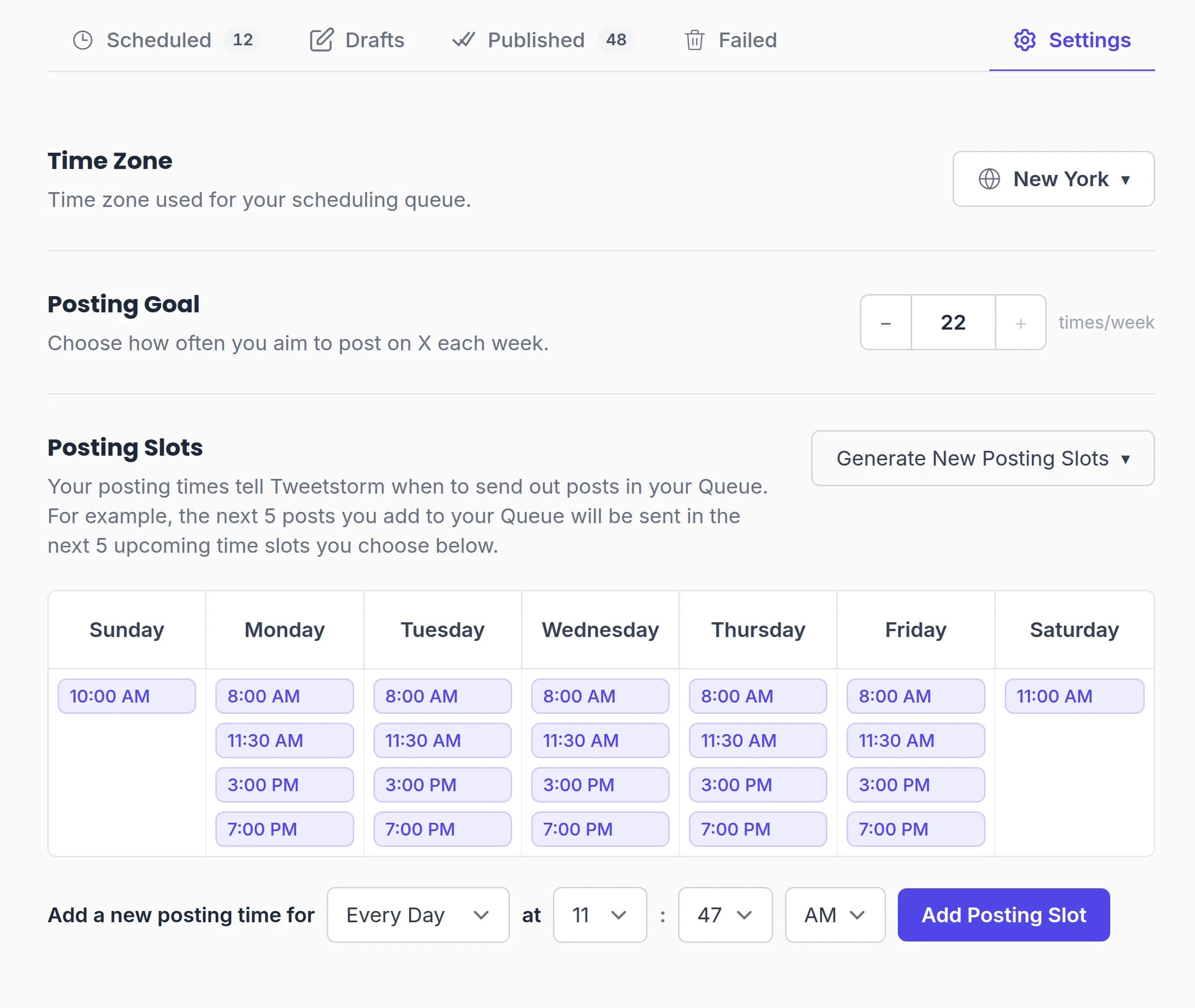
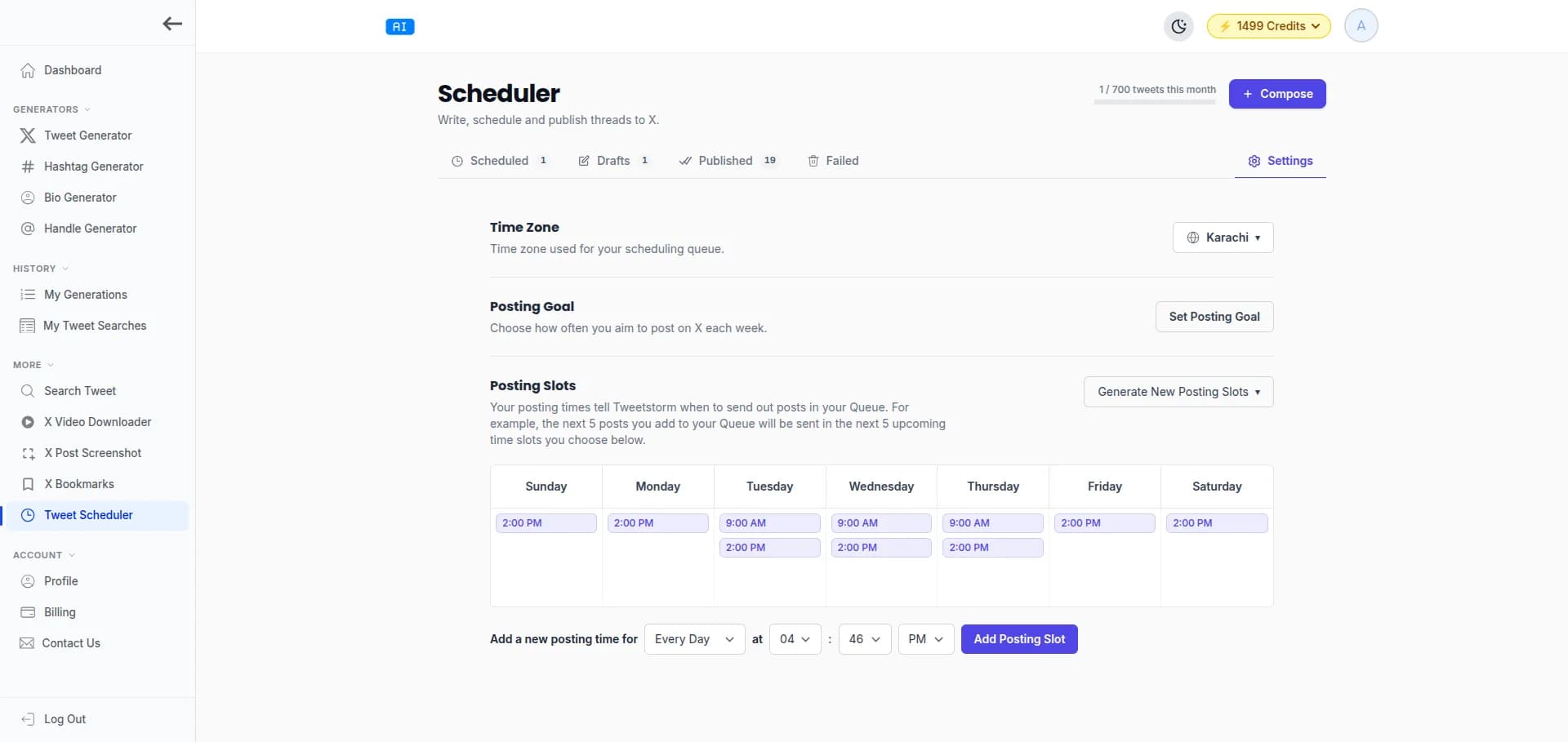
Go to Scheduler Settings to set your time zone, choose a weekly posting goal, and add posting slots — the times you want TweetStorm to send your posts. Add slots manually, generate them to match your goal, or use our recommended times. Everything is configured per account.

Scheduler settings showing posting slots grid, time zone selector and weekly posting goal.
STEP 4

Compose & Schedule Your Post

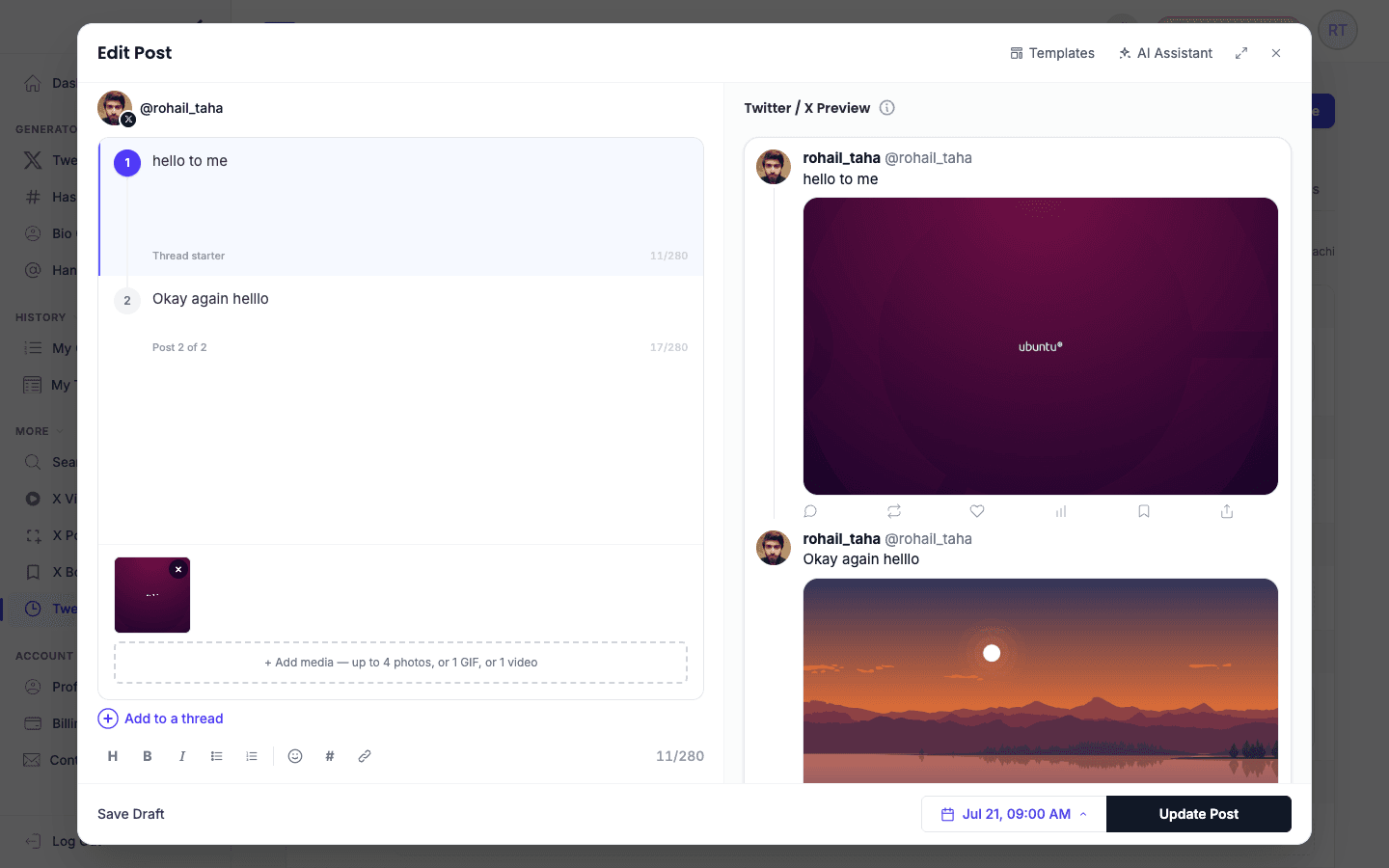
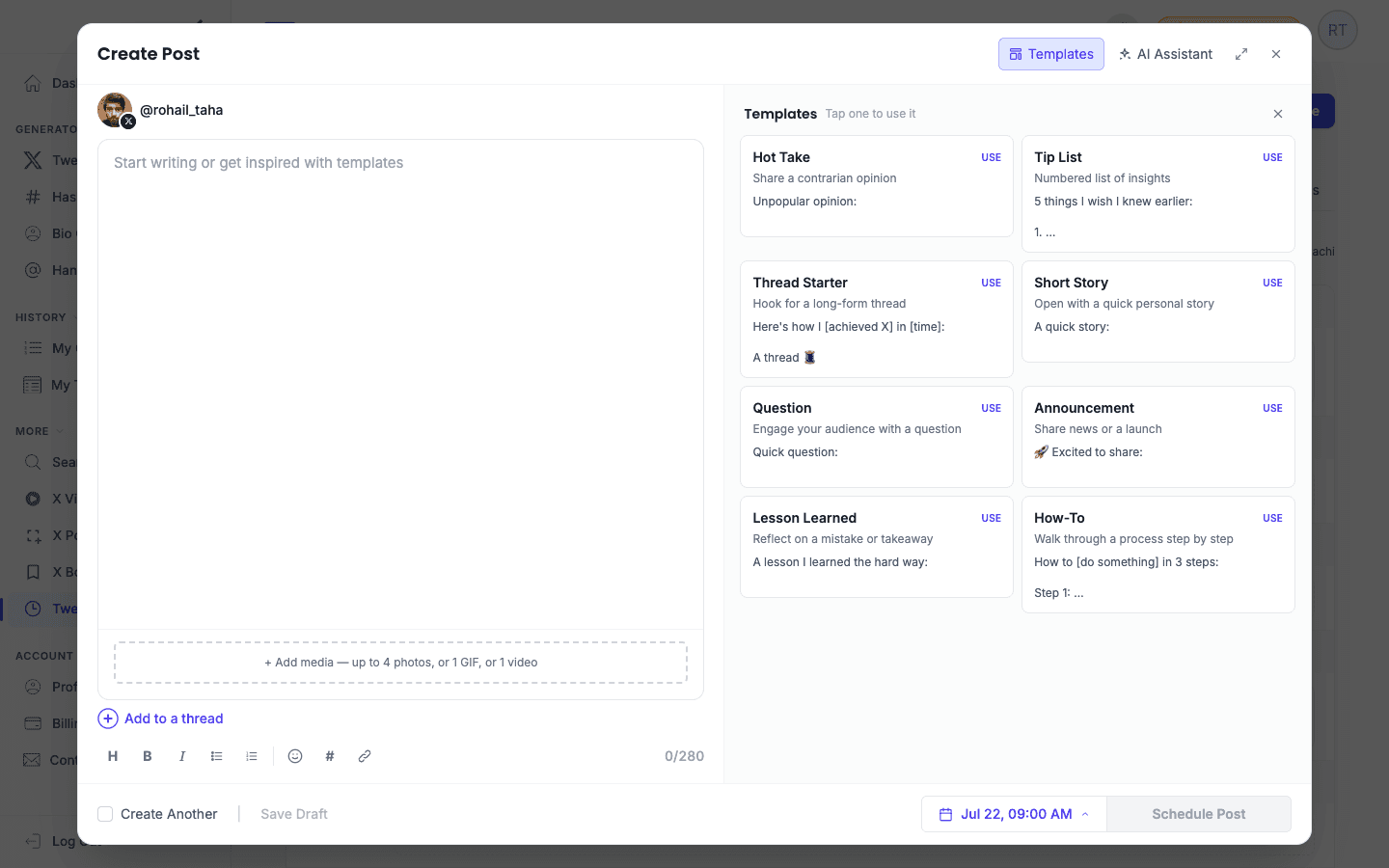
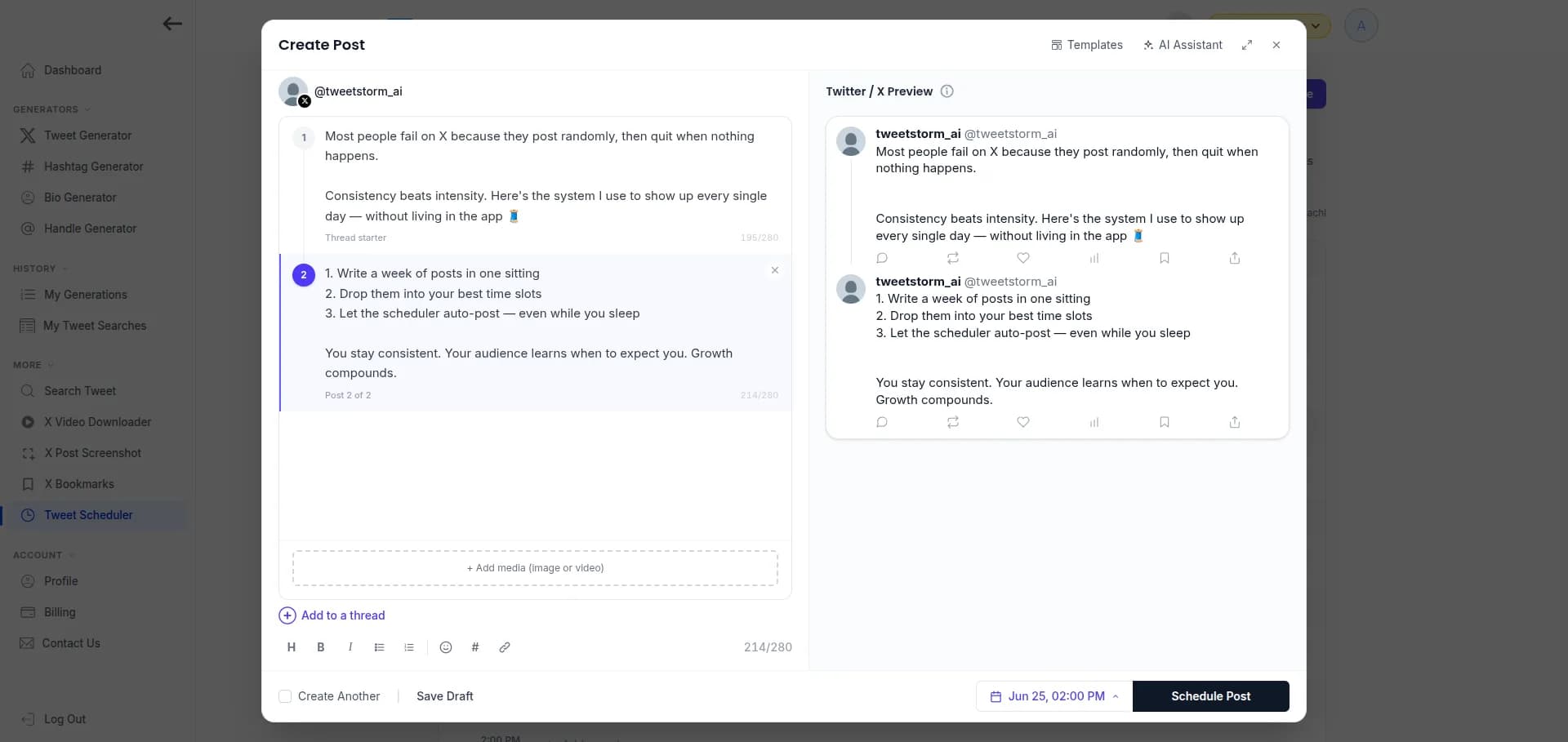
Click Compose, write a single tweet or a full thread, and attach images or video. Then pick how to schedule it: Next Available slot, a specific Date and Time, Now, Prioritize to the front of the queue, or Save as Draft for later.

TweetStorm composer showing a tweet thread with media and scheduling options.
STEP 5

Let It Auto-Post & Track Results

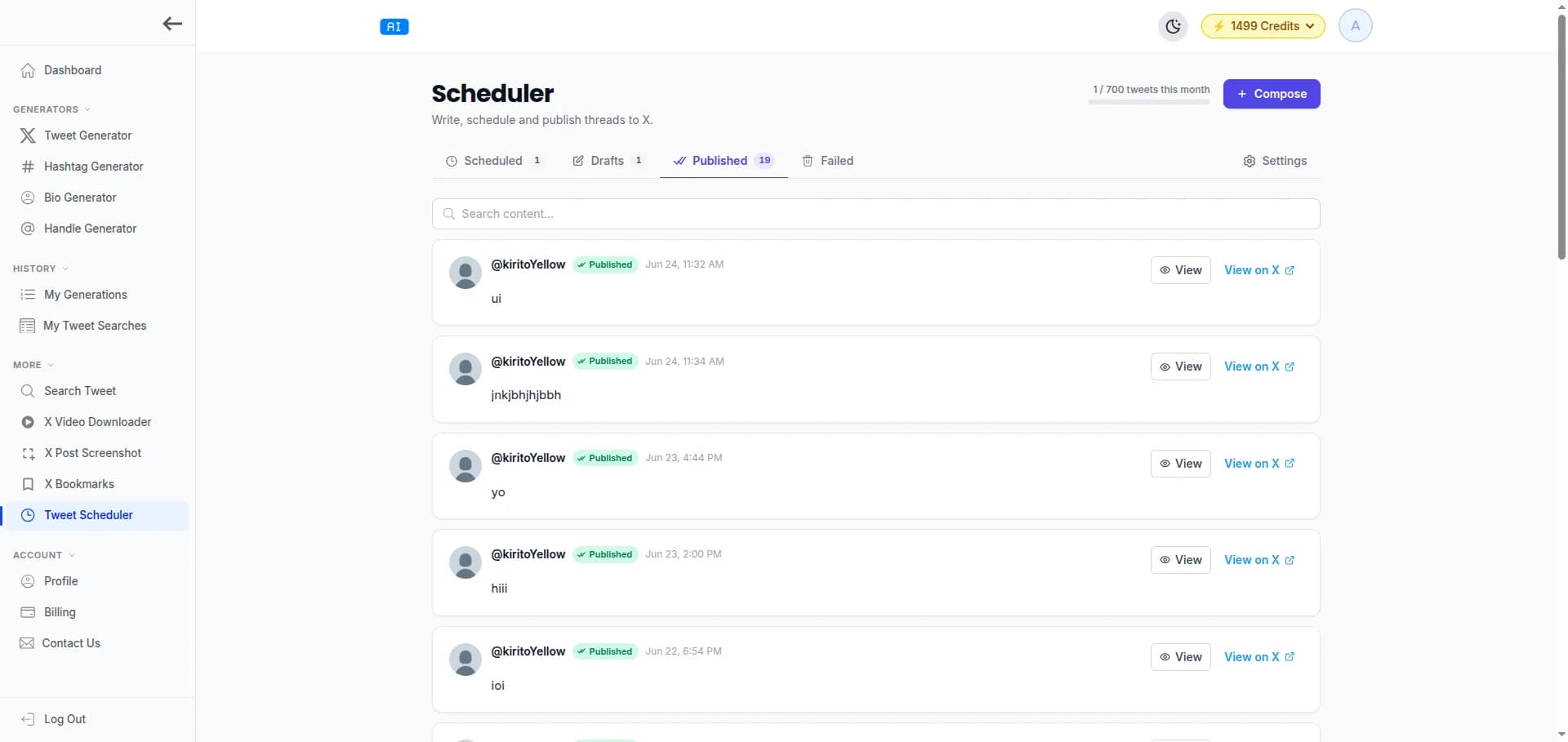
TweetStorm publishes each post to X at its scheduled time, automatically. Track everything across your Queue, Drafts, Published and Failed views — and reschedule any failed post in a couple of clicks.

TweetStorm scheduler showing the queue and published tweets with status for each post.

Use Cases

Who the tweet scheduler is for

Anyone who wants a consistent X presence without being glued to the app all day.

Creators & solopreneurs

Batch a week of tweets and threads in one session, then stay visible every day while you focus on the work.

Founders & marketers

Plan launches and campaigns ahead of time and line up threads to drop at peak engagement hours.

Agencies & teams

Manage multiple X accounts from one place, each with its own slots, time zone and posting goal.

Best Practices

Tips to get the most out of scheduling your tweets on X.

Post at consistent times

Fill recurring slots so your audience learns when to expect you. Consistency compounds on X.

Batch and queue ahead

Write several days of content at once and queue it, so a busy day never breaks your posting streak.

Lead with threads

Schedule threads for your best slots, they earn more reach and dwell time than single tweets.

FAQs about the X tweet scheduler

It is a tool that lets you write tweets and threads now and automatically publish them to X (Twitter) at a future date and time. You build a posting queue, pick the best times to post, and TweetStorm posts on your behalf, even while you sleep.
Yes. You can compose full threads, reorder tweets, attach media to each tweet, and schedule the entire thread to publish in sequence at your chosen time.
You define posting slots per account (or use our recommended time slots), and the scheduler automatically drops your queued tweets into the next open slots. You can also set a weekly posting goal to stay consistent.
Yes. Each X account has its own time zone, slots, and posting goal. Your queue and calendar are shown in the schedule’s time zone, so a tweet set for 9:00 AM always goes out at 9:00 AM in that zone.
Yes. You can connect multiple X accounts and schedule independently for each. The number of accounts you can keep actively scheduling depends on your plan.
Failed posts are moved to a dedicated “Failed” view with the reason for the failure, so you can fix the issue and reschedule them in a couple of clicks.
Yes. You can save tweets and threads as drafts, come back to edit them anytime, and move them into the schedule whenever you are ready.
Yes. You can attach images and videos to your scheduled tweets and threads, and they will be uploaded and published with the post automatically.
You authorize TweetStorm to post on your behalf via X’s official login. We only request the permissions needed to publish your scheduled tweets and media.
You can start scheduling for free. Higher plans unlock more actively-scheduling accounts and higher posting volume. See the pricing page for full details.

Explore more Twitter tools

Try powerful Twitter/X tools to automate, clean up and optimize your account.

Start scheduling your tweets today

Plan once, post all week. Build your queue with TweetStorm and grow on X automatically.

Schedule a Tweet Now